Record and Replay Music
In the previous activity, Play Buzzer Music on the Map, CoCube read the card IDs on the music map and played the corresponding notes through its buzzer.
This time, we will give it a new ability: remember the keys it passes over and replay the melody automatically.
Online program: Open in MicroBlocks
Program file: Buzzer_Record_and_Replay.ubp
1. How to Use It
- Press A. The screen shows
Recording...and starts a new recording. - Slide CoCube across the keys on the music map.
- Press B. The screen shows
Playing...and CoCube replays the recorded melody. - Press B again to replay the same melody as many times as you like.
- Press A again to erase the old melody and start a new recording.
The program records only the order of the notes, not the speed of your movement. During replay, every note lasts 300 milliseconds, followed by a 50 millisecond pause.
2. Prepare a Note List
The program uses three variables:
key: the card ID of the current key.last_key: the previous card ID.notes: a list that stores all recorded notes in order.
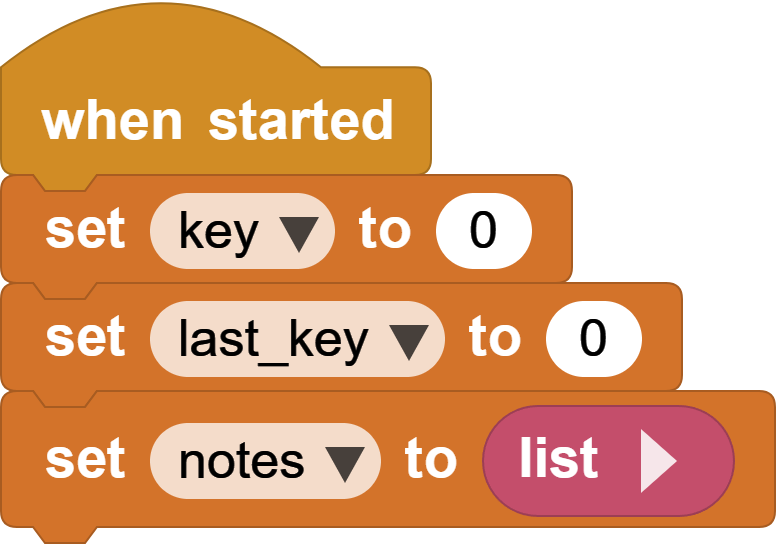
At startup, key and last_key are set to 0, and notes is set to an empty list.
A list is like a container that can grow. If CoCube passes over keys 60, 64, and 67, the list becomes:
notes = [60, 64, 67]
3. Press A to Start Recording
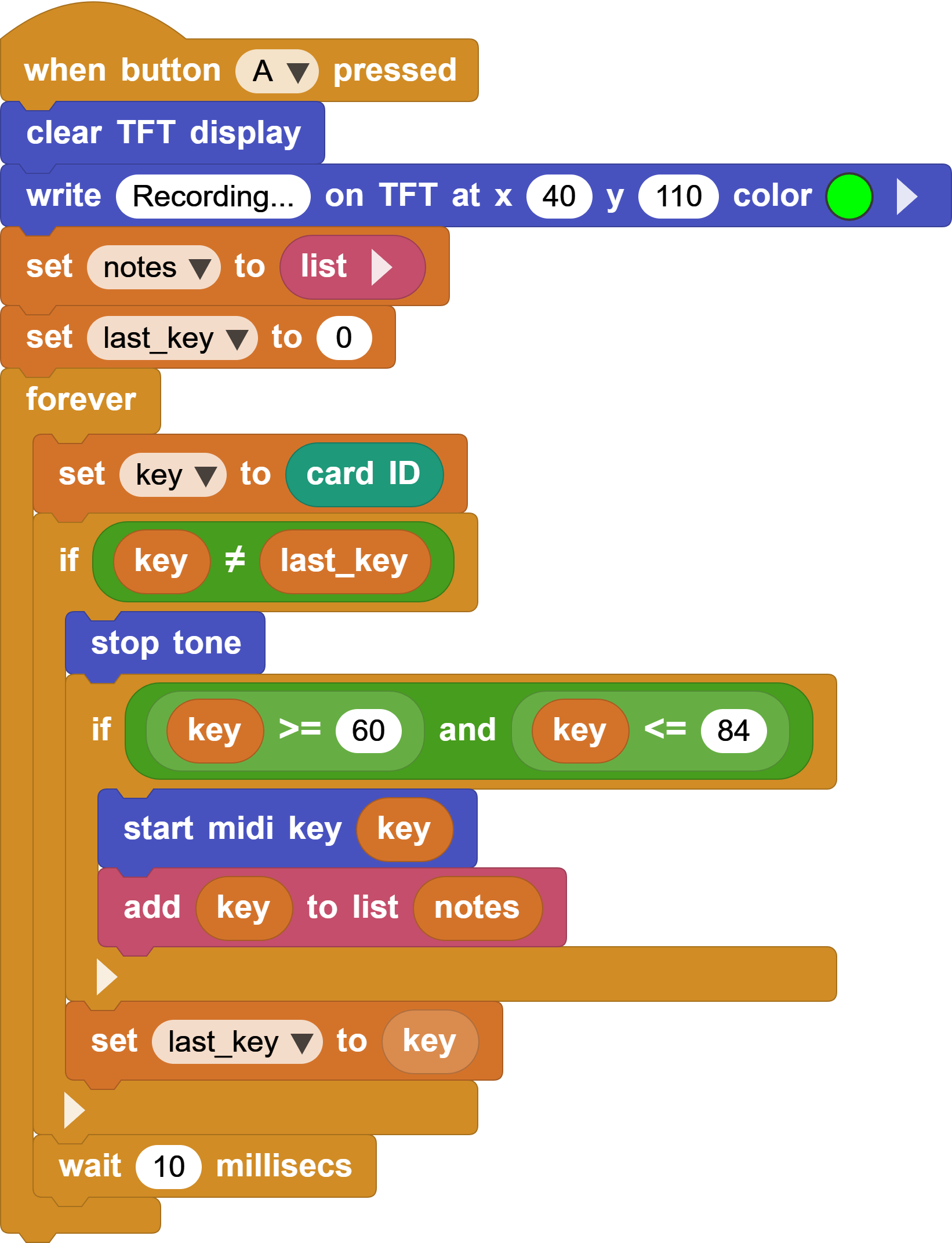
After A is pressed, the program clears the screen, shows Recording..., and prepares a new recording:
notes = empty list
last_key = 0
This removes the previous melody. Reading and playing the map keys works in almost the same way as in the previous activity: the program changes notes only when key is different from last_key.
The new block is:
add key to notes
Whenever CoCube enters a valid key, the program plays the note and adds its number to the end of notes. In this way, all visited keys are stored in order.
4. Press B to Replay the Melody
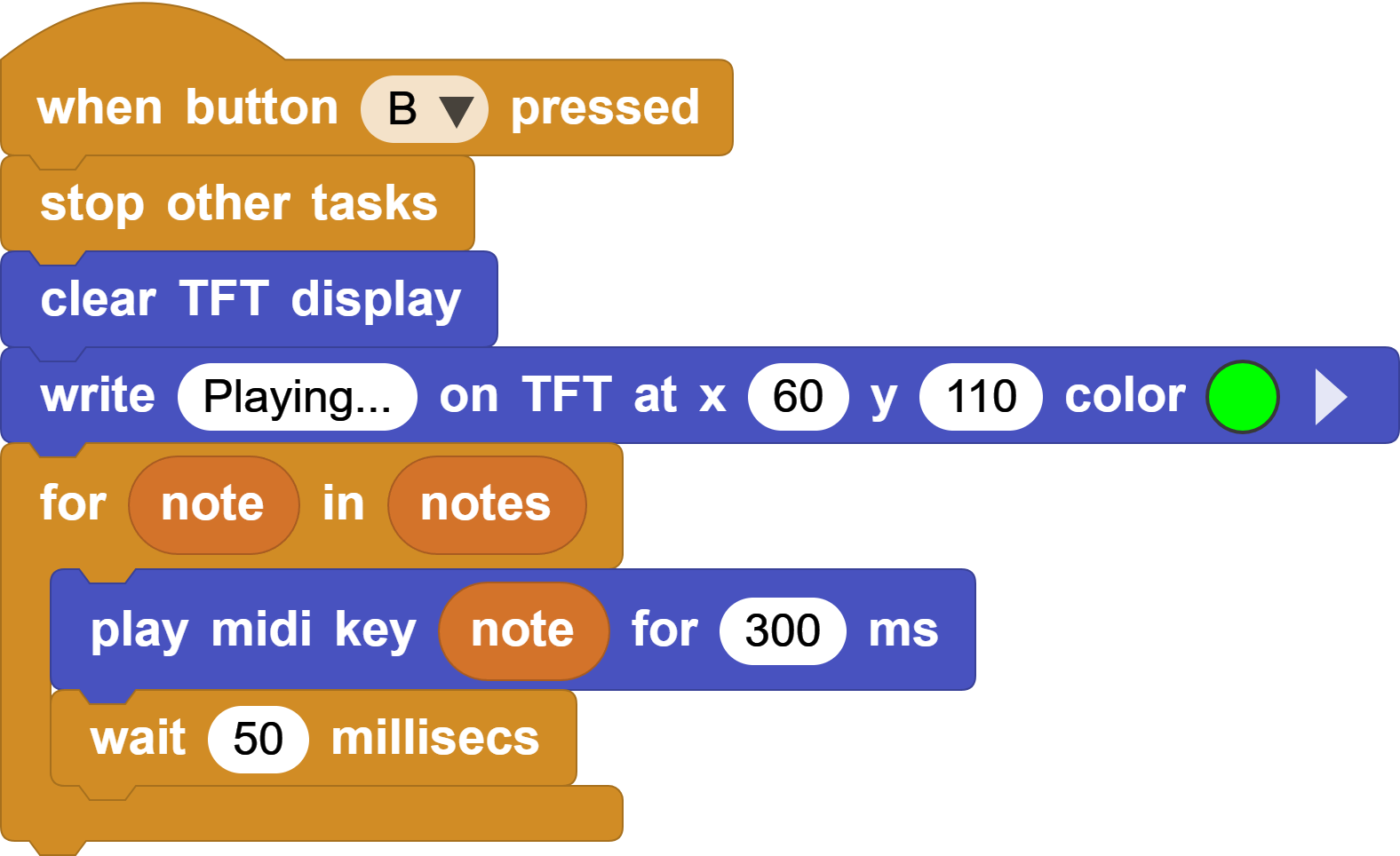
After B is pressed, stop other tasks ends the recording loop. The program then goes through the notes list:
for each note in notes:
    play note for 300 milliseconds
    wait 50 milliseconds
The loop takes each note from the beginning of the list and plays it until the entire melody is complete.
The notes list is not cleared after replay, so B can be pressed repeatedly. The old melody is erased only when A is pressed again.
5. Try It
- Change
300milliseconds and compare different playback speeds. - Change
50milliseconds and listen to the pauses between notes. - Display the current MIDI number during replay.
- What else would the program need to record to preserve the original rhythm?