1. Goal
Learn the color block recognition function of the AI vision module and implement color block sorting using the CoCube gripper.
2. Materials
3. Software Platform
4. Algorithm Knowledge
Reference Tutorial
Documentation: Algorithm Introduction — Blob Detection
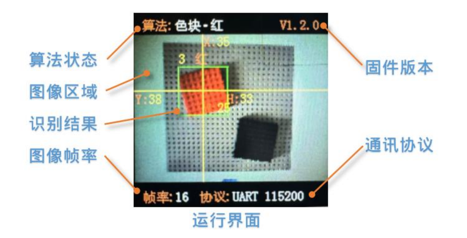
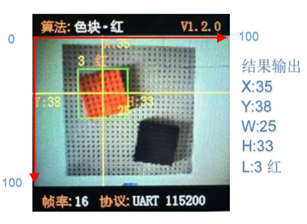
The running status on the Sengo1 screen is shown below. The screen divides the image into 100 equal parts horizontally (X) and vertically (Y). The top-left corner is the origin (0,0), the bottom-right is (100,100), and the center is (50,50). When a color block is detected, it returns its X, Y, W, and H values.
Block Descriptions
- Sengo 1 Initialization Block
The initialization block must be executed before using the camera. It is usually placed under the "when started" hat block.

- Sengo1 Set Mode Block

- Blob Detection Parameter Settings
Select the color to detect and the minimum/maximum area size.

- Sengo1 Read Blob Results


Returns the detection results of the color block, including center X coordinate, center Y coordinate, width W, and height H.
5. Programming
Connect Device: Connect the MicroBlocks IDE to the CoCube robot via wired or wireless connection, and attach the AI vision module to the front of the CoCube.
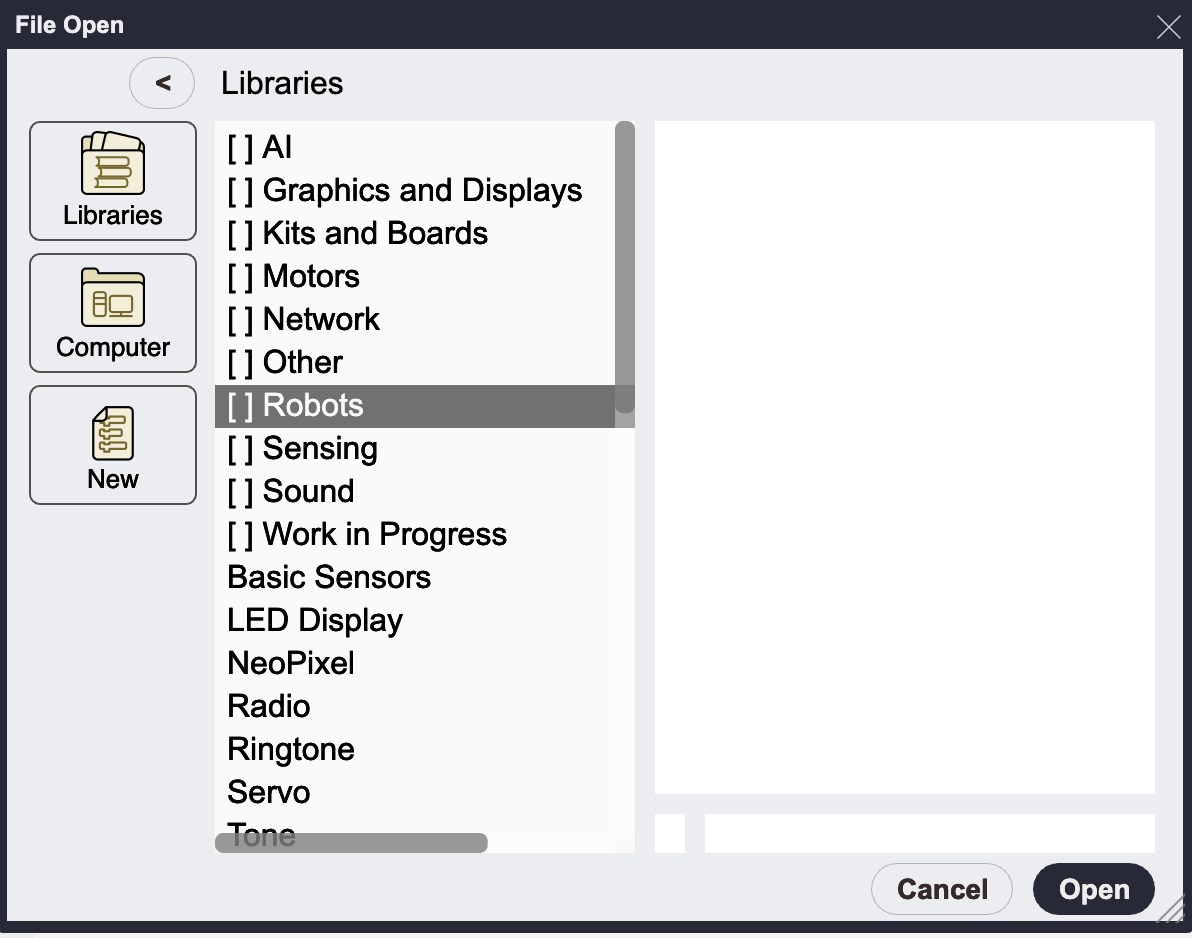
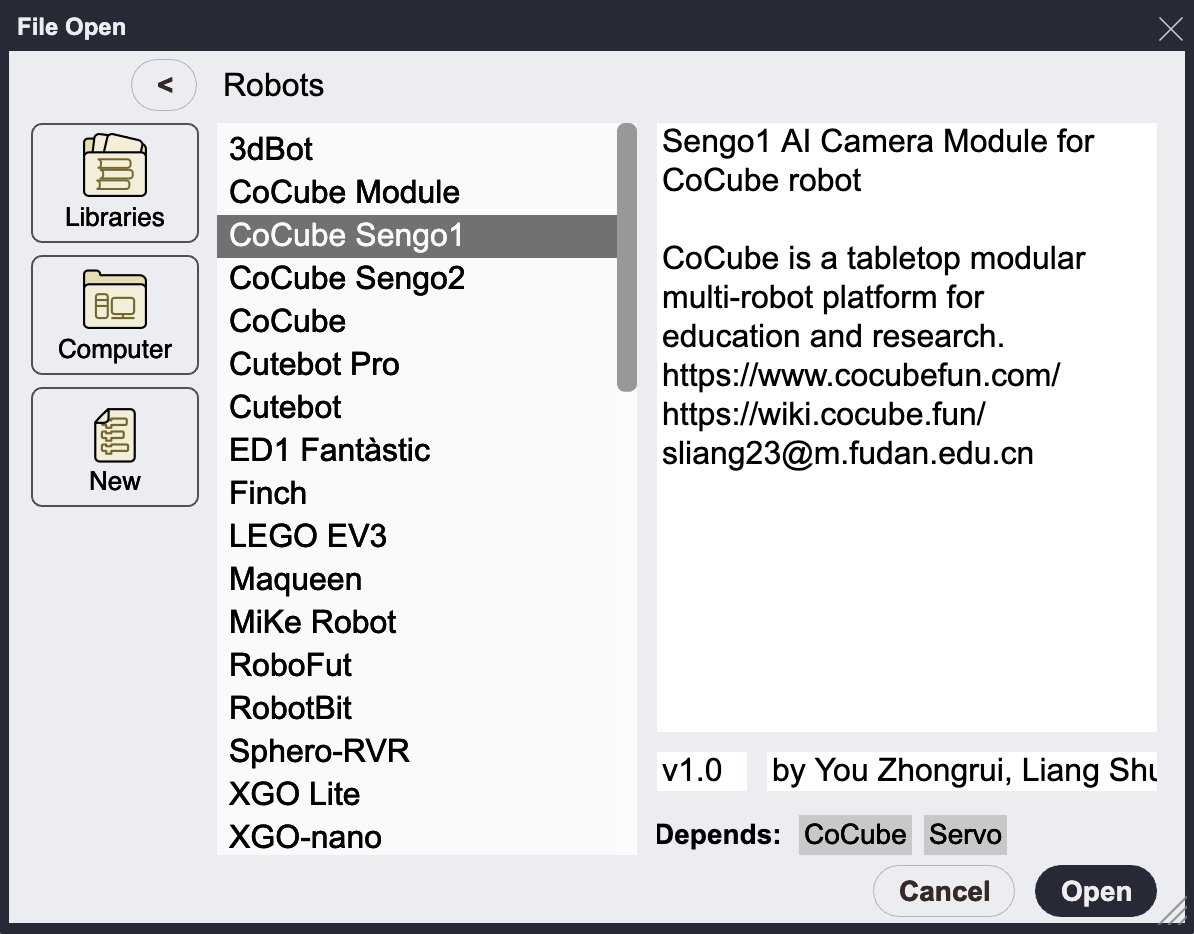
Load Libraries: Add "CoCube Sengo1" or "CoCube Sengo2" from the robot library. The choice depends on your camera hardware model; there is no significant difference in basic usage. Sengo2 has more features. This tutorial uses the Sengo1 library.
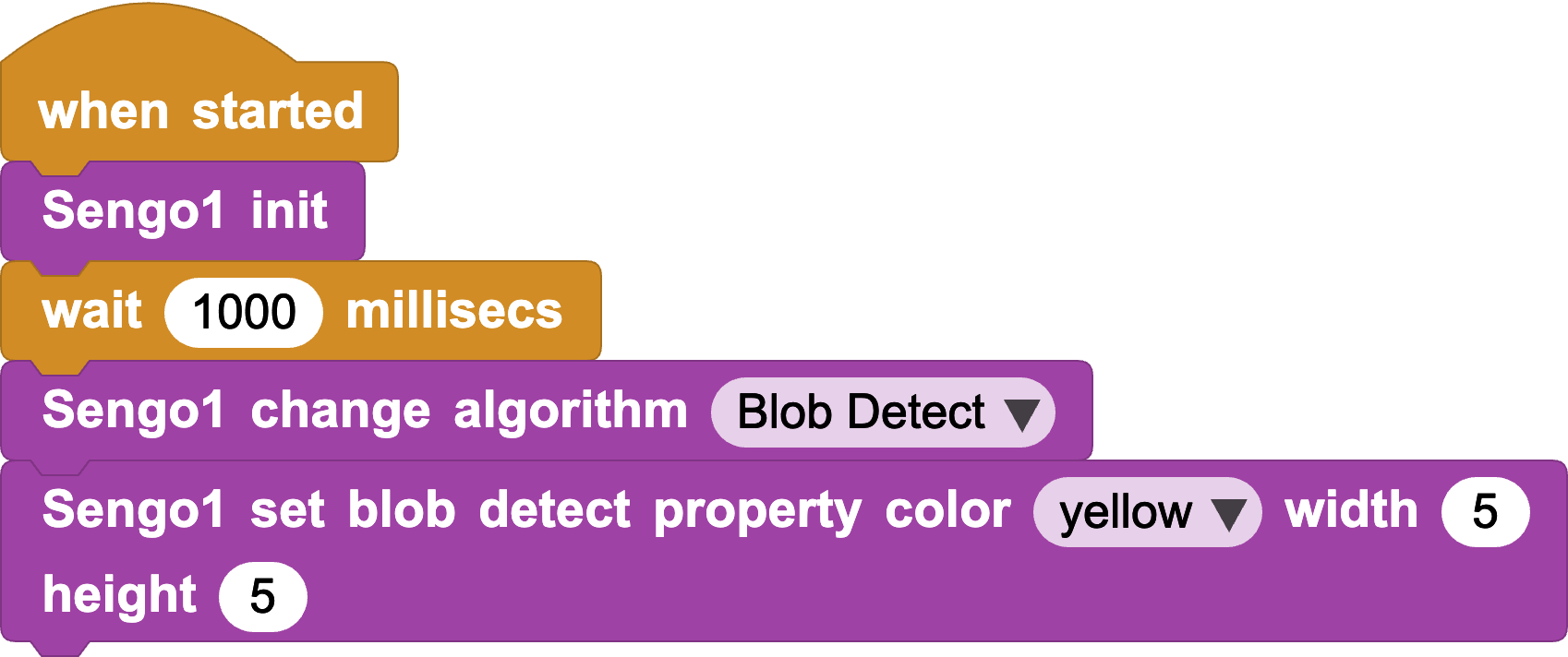
- Camera Module Initialization: Initialize Sengo1 at startup. Set the camera to "Blob Detect" mode and configure the target color and area size. When using the gripper, the camera initialization block must be used to ensure power supply to the gripper module.
- Target Detection and Parameter Determination: By adjusting the threshold of the blob's Y-coordinate (the number in the blue circle), you can control the distance between CoCube and the ball. This value depends on the camera's pose and the current environment. The logic is similar to previous card recognition tasks.
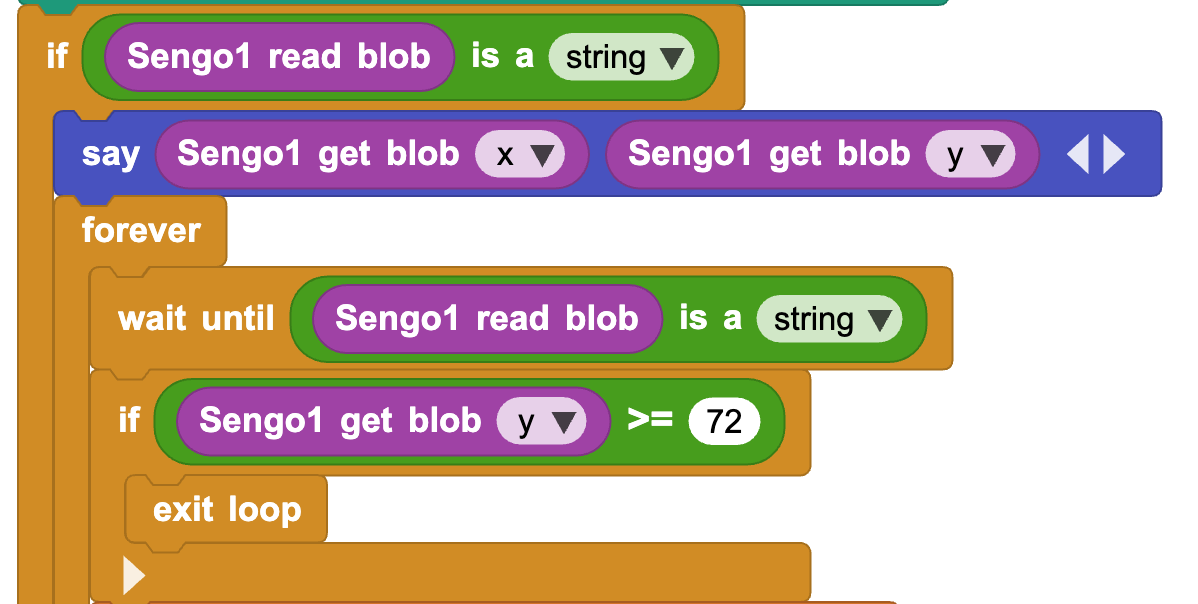
Question: The blocks above lack judgment for the X direction and specific movement adjustments. How can we implement them?
- Movement Adjustment: Since CoCube uses a tracked differential drive, it needs to adjust the speed of the two wheels to correct its heading when the target ball deviates. We can adjust the position by controlling the left and right wheel speeds simultaneously. When the target is to the left, the left wheel speed should be lower than the right wheel speed, and vice versa. This is a simple form of negative feedback control.
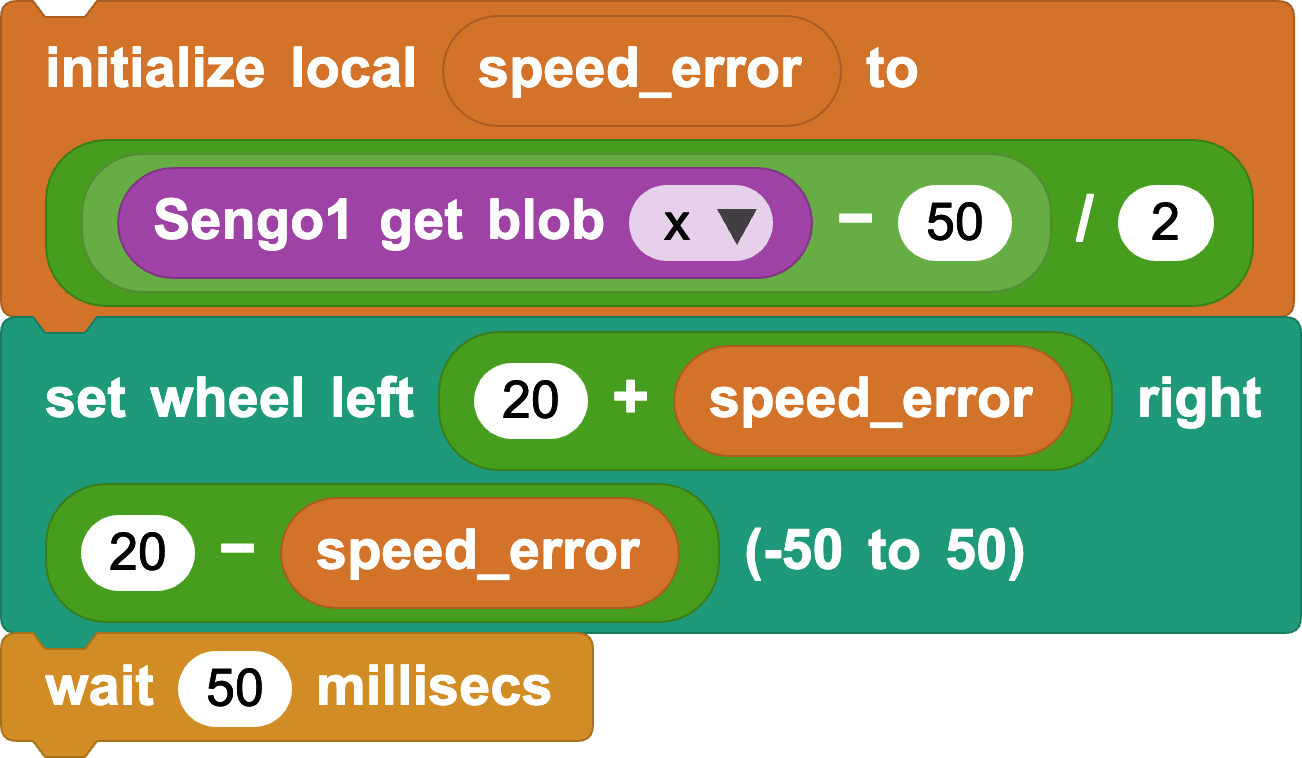
Knowledge Supplement — Negative Feedback Control: Negative feedback is like the instinct to maintain balance on a tightrope: if your body leans left (an error occurs), your brain immediately commands your body to lean right (reverse adjustment). This mechanism of "subtracting where there is too much, adding where there is too little" cancels out disturbances by acting against the deviation, keeping you steadily on the target path.
- Write Your Own Program: With the debugging code above, try combining more functions yourself!
6. Challenge
Implement an automatic ball sorting function using CoCube. You can add buttons A and B for more flexible start and stop control.
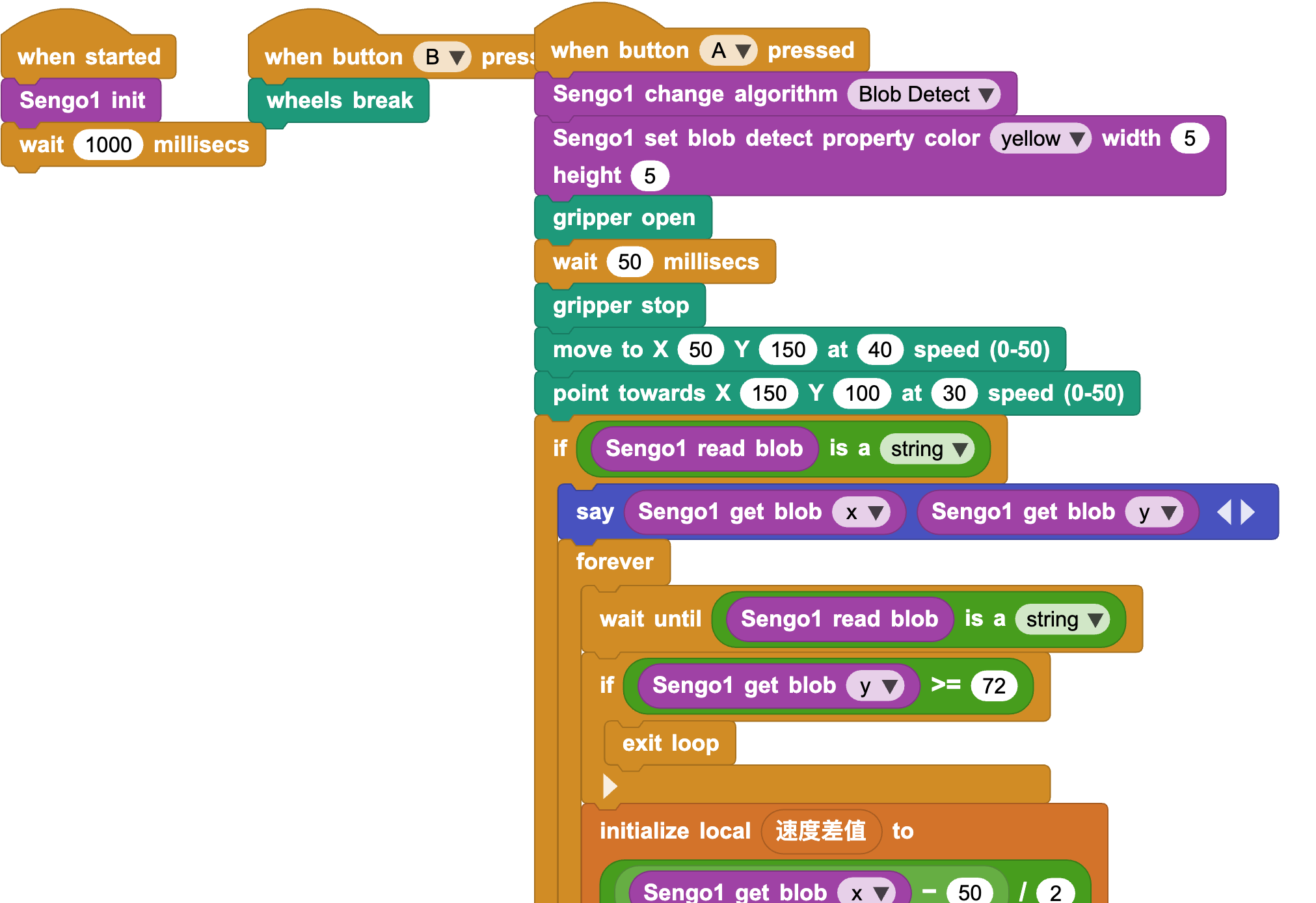
Reference Code: Sengo1 Ball Sorting Case
Reference Code: Sengo2 Ball Sorting Case