1. Goal
This tutorial introduces the idea of recursion in a friendly way. You will learn how a program can call itself to draw complex and beautiful fractal patterns. We will also use classic Turtle drawing so you can see the result directly on the screen.
2. Materials
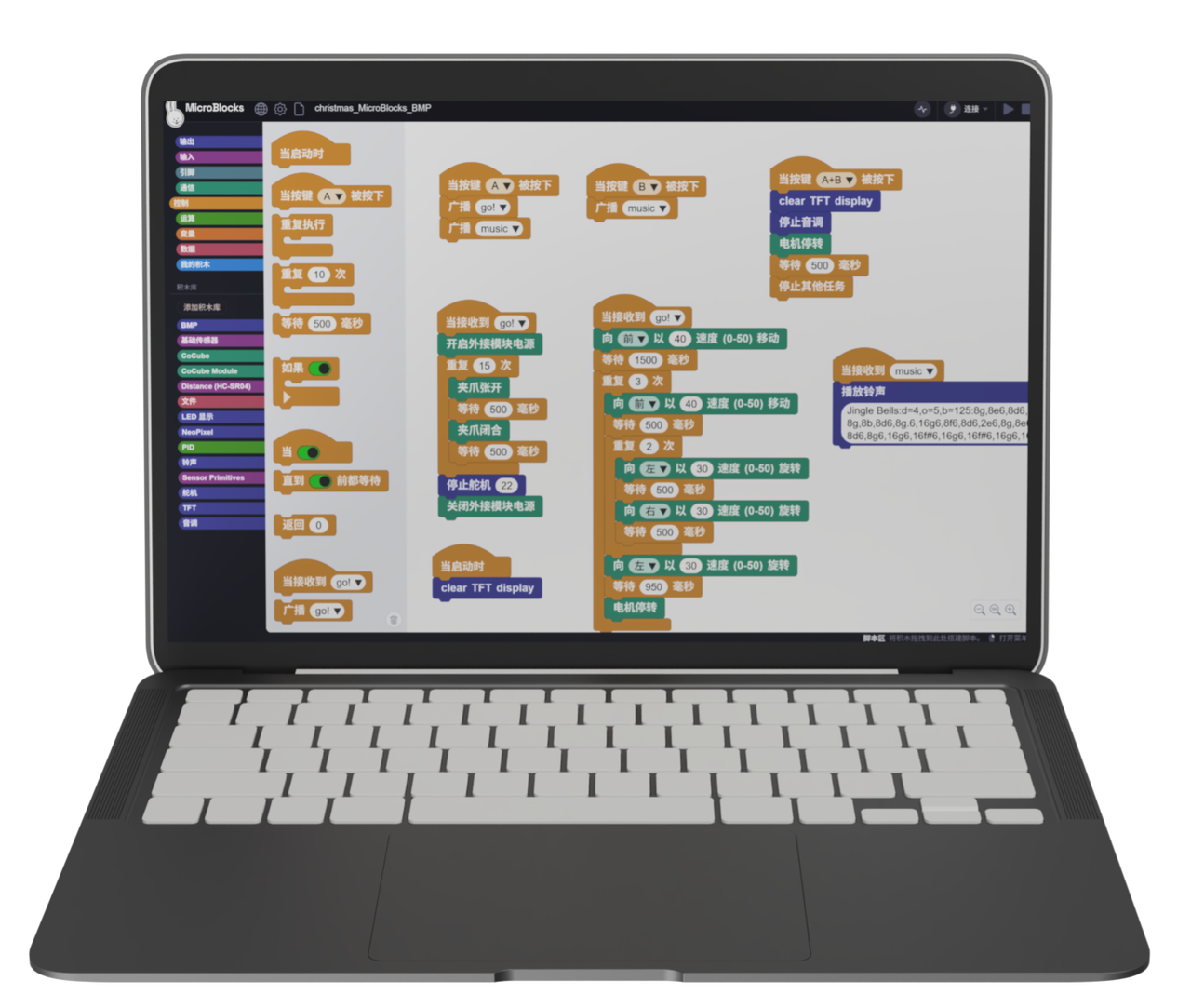
3. Software
4. Background
Recursion
Break a big problem into smaller copies Take a big problem, split it into smaller problems that look similar, and solve those smaller problems in the same way.
Always have a stopping point Recursion cannot continue forever. It needs a condition that says when to stop. When the problem becomes small enough, the program gives an answer directly and stops calling itself.
Example: passing a message in a movie theater
Imagine you are in a dark movie theater and want to know which row you are sitting in.
Your action: You tap the person in front of you and ask, "Which row is this?"
Recursion happens: That person does not know either, so they ask the person in front of them. The same action repeats.
Stopping point: Eventually the question reaches the person in the first row. That person knows the answer: "I am in row 1!"
Returning the result: The answer is passed back row by row.
The second row thinks, "Then I am 1 + 1 = 2," and tells the third row.
The message travels back until you get your answer.
This is recursion: you break one big question into smaller copies of the same question, stop when the answer is obvious, and then return the result step by step.
Koch Snowflake
Have you noticed that real snowflakes do not have smooth edges when you zoom in? Their edges are full of smaller and smaller details.
In 1904, the mathematician Helge von Koch wondered whether a simple rule could draw a snowflake with endless detail.
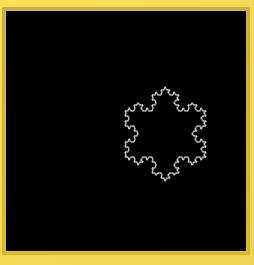
That idea became the Koch snowflake, a shape that grows through recursion.
Drawing rules:
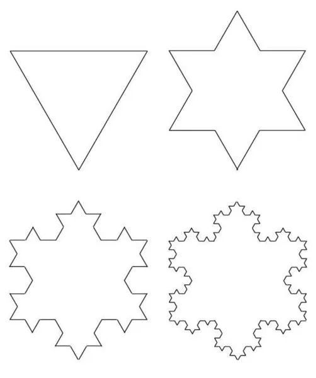
Step 0: Draw an equilateral triangle.
Step 1: Divide each side into three parts, and raise a small triangle on the middle part.
Step 2: Apply the same rule to every new side.
Step 3: Keep repeating. The sides become more numerous, and the figure looks more and more like a snowflake.
Turtle Drawing Blocks
Imagine Turtle as a tiny robot holding a pencil. You write a walking plan, and it follows the plan while drawing.
- Pen up and pen down: When the pen is down, Turtle leaves a trail as it moves. When you want to move to another place without drawing, lift the pen, move, and then put the pen down again.


- Forward: This block controls Turtle's movement. Enter a number in pixels. The number decides how long the drawn line will be.

Turn: This block changes Turtle's direction. Enter an angle in degrees.
A positive number, such as
90, turns Turtle clockwise.A negative number, such as
-90, turns Turtle counterclockwise.Note: this block only changes direction. It does not move Turtle or draw a line.

- Move the pen to an exact position: If you already know the x and y coordinates you want to reach, you do not need to move forward step by step. Use this block to move directly to that position.

- Change colors: Use these two blocks to change the background color and pen color.


5. Draw a Fractal Tree
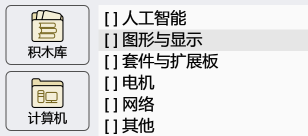
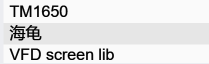
- Add a library: Want Turtle to follow your commands and draw interesting shapes? In the MicroBlocks editor, open Graphics and Displays, find the Turtle library, and click Add Library. Then Turtle is ready to draw.

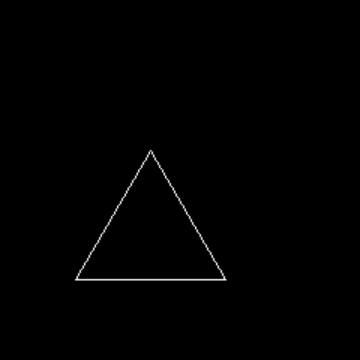
- Warm-up: Before drawing snowflakes or branching trees, start with a simple equilateral triangle using Turtle drawing.
Choose a pen color. To keep the drawing centered, move Turtle to the middle of the screen first, then put the pen down.
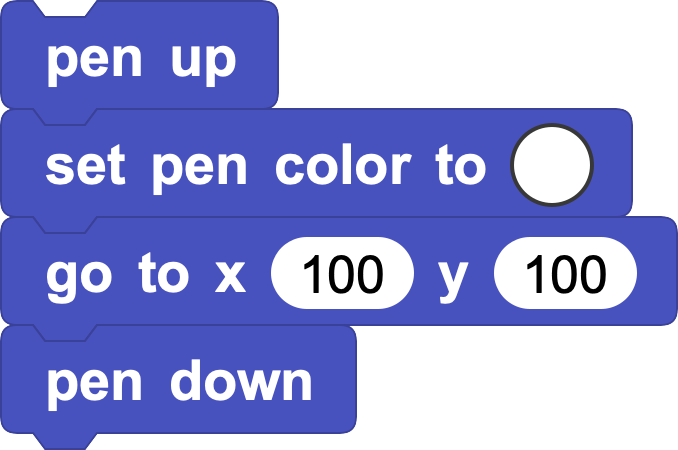
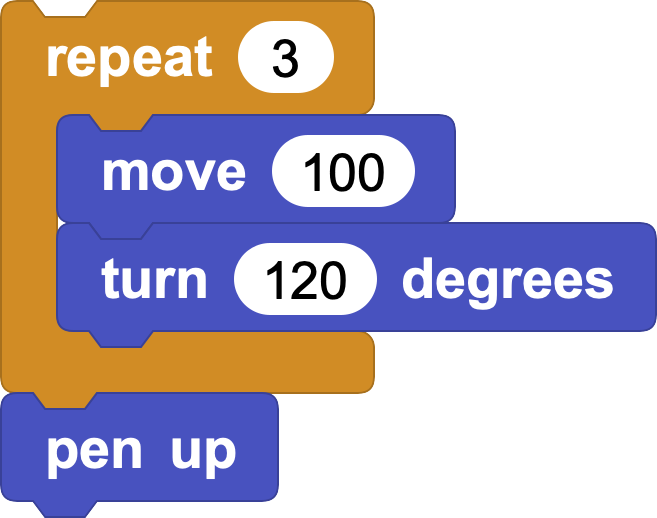
Drawing an equilateral triangle is simple:
Move Turtle forward to draw one side.
Turn 120 degrees, then draw the next side.
Repeat "move + turn" 3 times, and the triangle is complete.
- Recursive fractal tree:
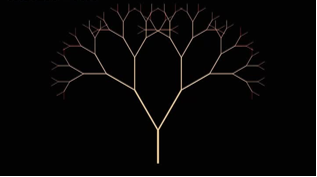
Now let us draw a tree that grows branches by itself.
Its rule is simple:
Step 0: Draw a straight trunk.
Step 1: At the top of the trunk, draw a shorter branch to the left and another to the right.
Step 2: Treat each new branch as a smaller trunk. Repeat the same action at its top.
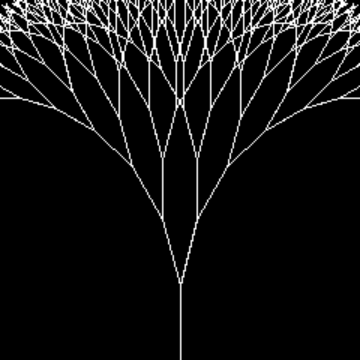
Step 3: Keep repeating. The branches become smaller and more detailed. After several repeats, a fractal tree appears.
This self-calling rule is called recursion in programming. Follow the steps, and you can draw a fractal tree.
What is the most important thing before using recursion?
Decide when to stop.
Just like the movie theater example, there must be a condition where the program can give an answer directly and stop asking again.
If there is no stopping condition, recursion will run forever and the program may get stuck.
In this tree, every new branch is shorter than the previous one.
So we can stop when the branch length becomes small enough, for example less than 5.
Also, recursion should not only stop at the bottom. It must also return so the previous level can continue.
So we create a custom block and write the stopping case:
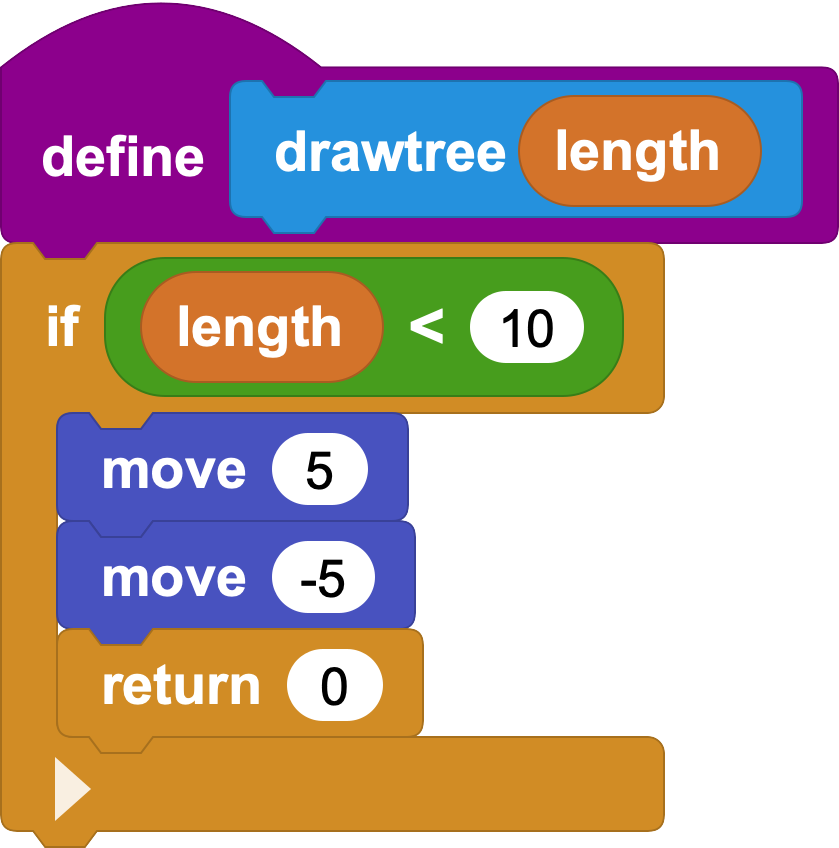
PS: In recursion, the return block is important. It ends the current call and returns to the previous level. You can also use an if else structure to get the same result.
Now we can draw the whole tree:
Draw the trunk by moving forward with the current length.
Draw the left branch by turning left and drawing a shorter branch.
Draw the right branch by turning right and drawing another shorter branch.
Move back to the branching point and restore the original direction so the previous recursion level can continue.
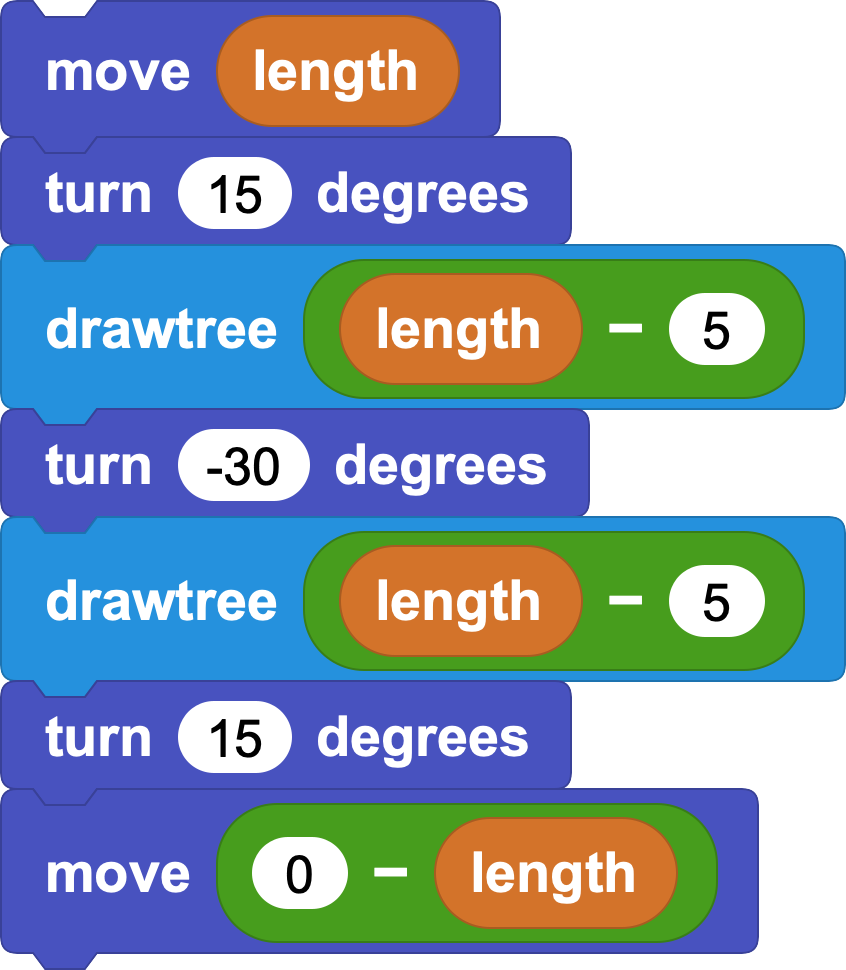
Here are two complete block definitions:
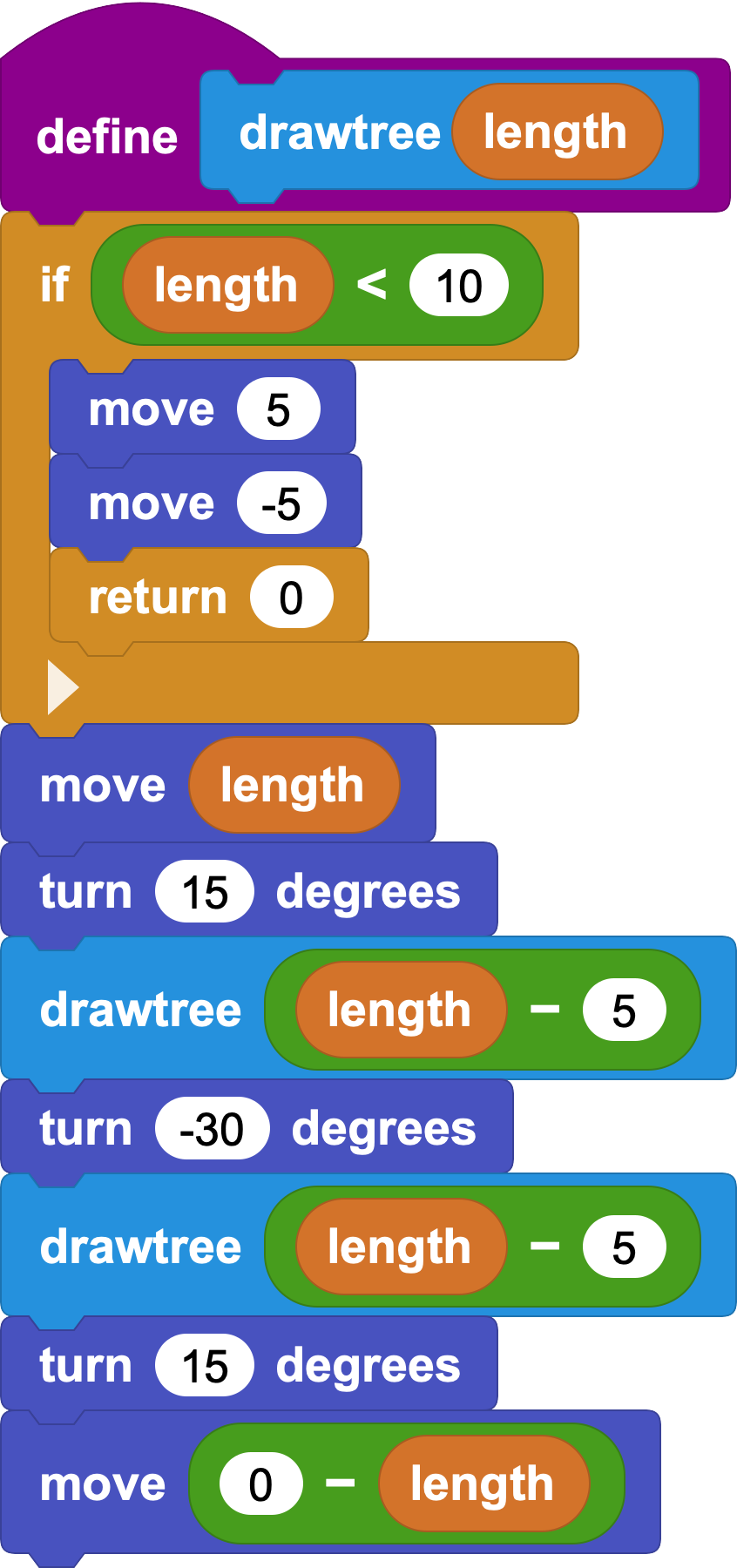
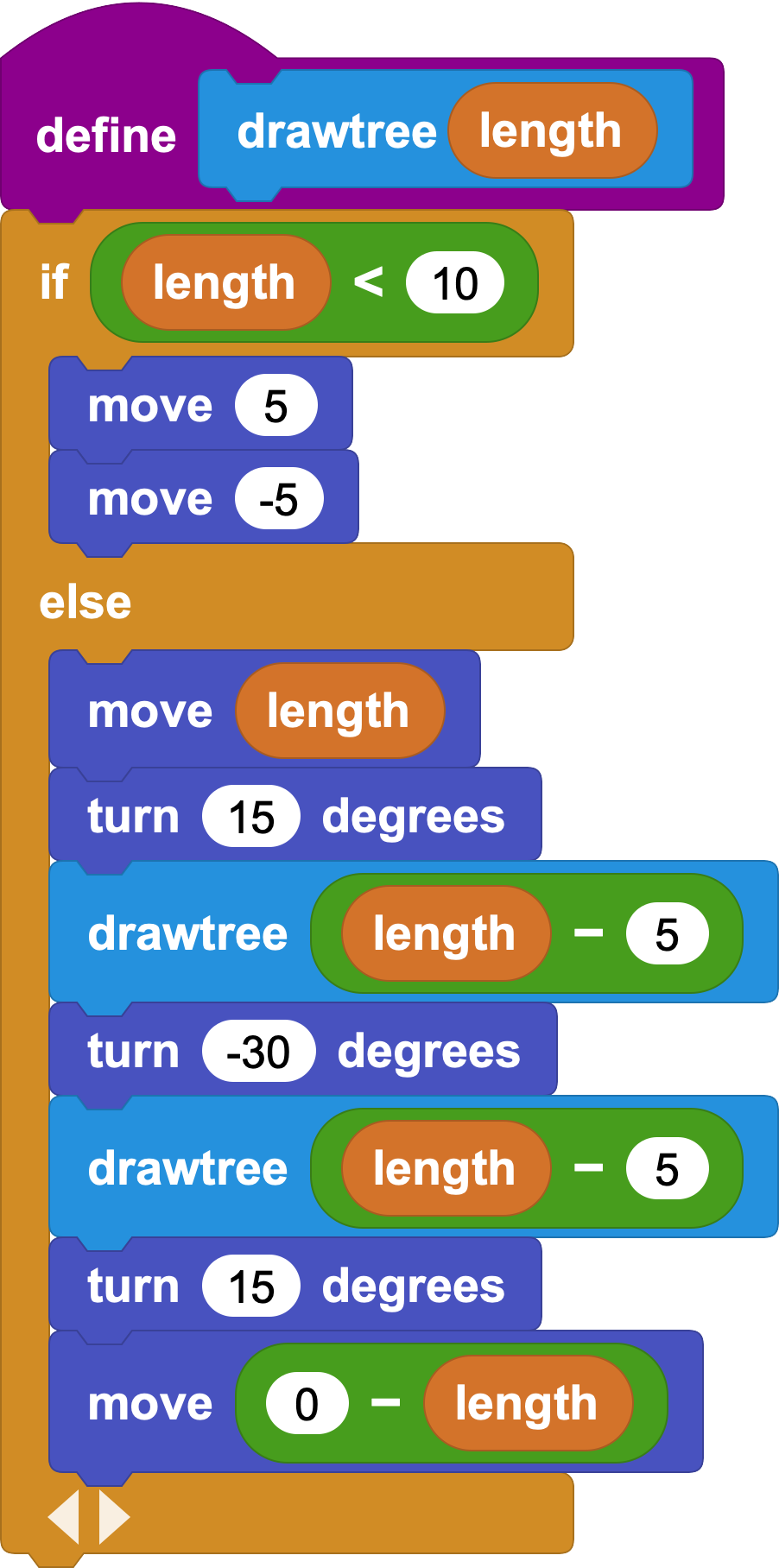
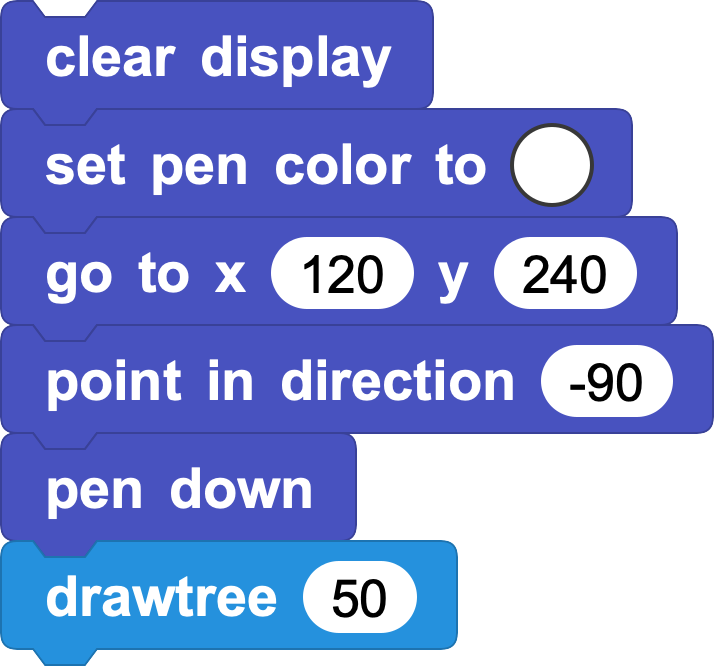
In the main program, first place Turtle near the bottom of the screen:
Move the pen to a good starting point, point Turtle upward with the face -90 degrees block, put the pen down, and call drawtree.
6. Try the Koch Snowflake
The Koch snowflake rule is: divide each line segment into three equal parts, then raise a small bump on the middle part.
If we keep doing this, the segments become shorter and the number of levels increases.
In the custom block, we need two inputs:
Length: the current segment length.
Level: how many more times to subdivide.
The stopping condition is: When level = 0, stop subdividing and draw a straight line of the given length.
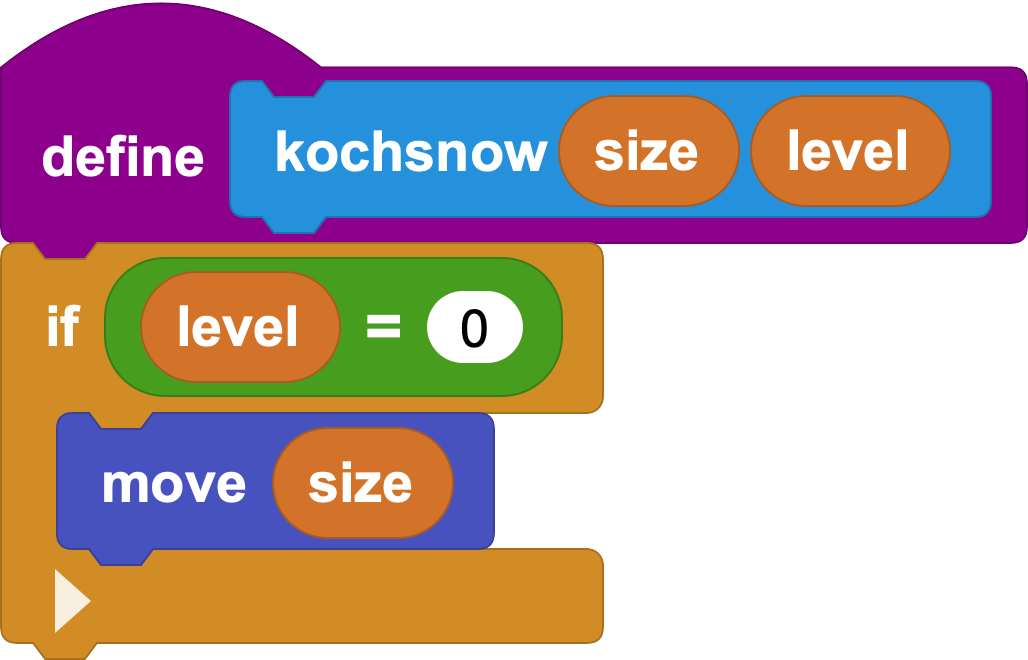
In the Koch snowflake, level decides how many times we subdivide, and length decides how long the current segment is.
Why does level decrease by 1 each time?
Think of peeling layers from an onion. Each time you remove one layer, there is one fewer layer left. For the snowflake, each recursive call uses one level, so the next call uses level - 1. When level reaches 0, draw a straight line.
Why divide the length by 3?
The Koch rule turns one line segment into 4 smaller segments, each one-third of the original length. So the next recursive call uses length / 3.
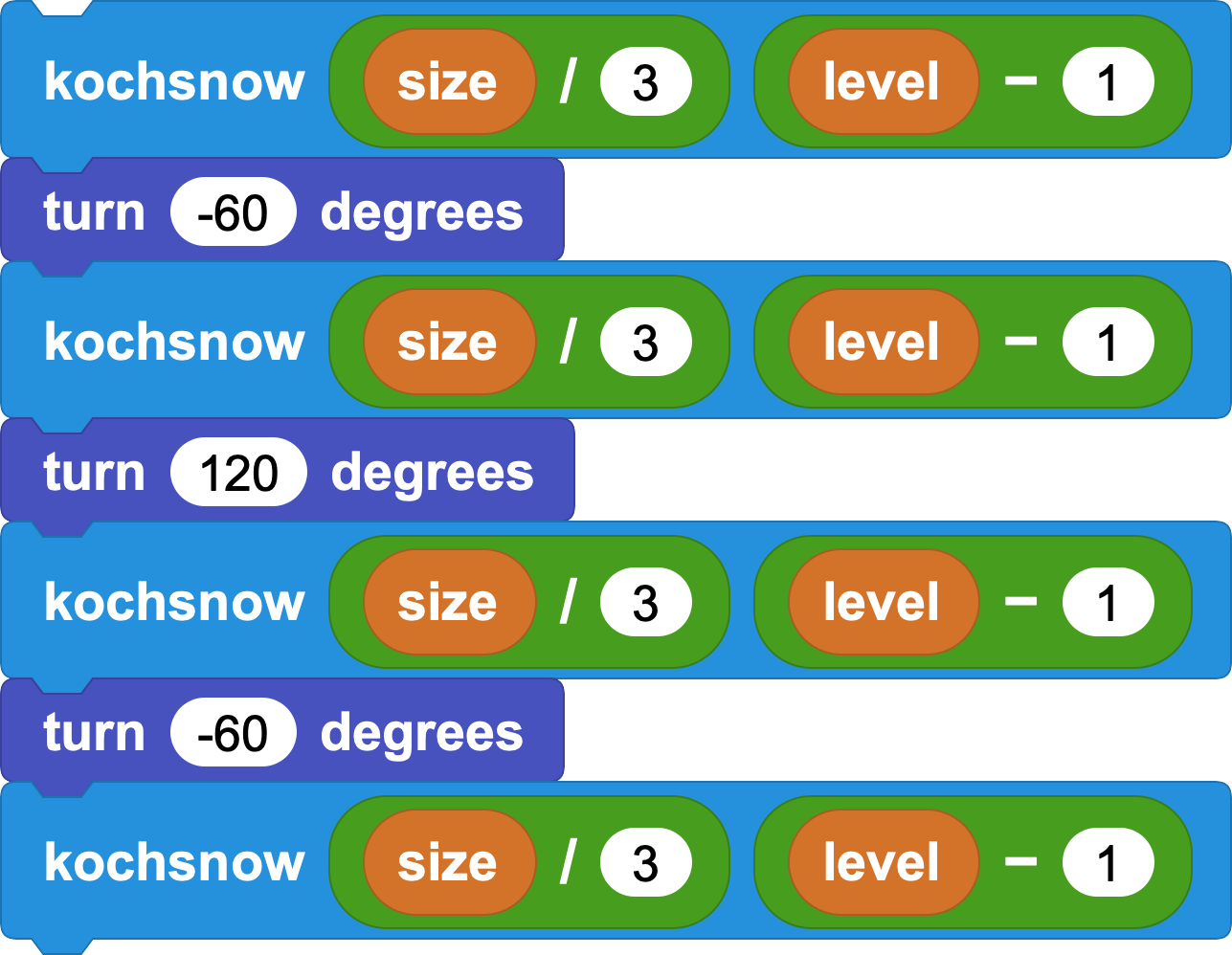
Detailed steps:
Draw Koch curve with length / 3 and level - 1.
Turn left 60 degrees.
Draw Koch curve with length / 3 and level - 1.
Turn right 120 degrees.
Draw Koch curve with length / 3 and level - 1.
Turn left 60 degrees.
Draw Koch curve with length / 3 and level - 1.
PS:
Turning left 60 degrees and right 120 degrees creates the two outside turns of an equilateral triangle.
The final left 60-degree turn restores Turtle's original direction.
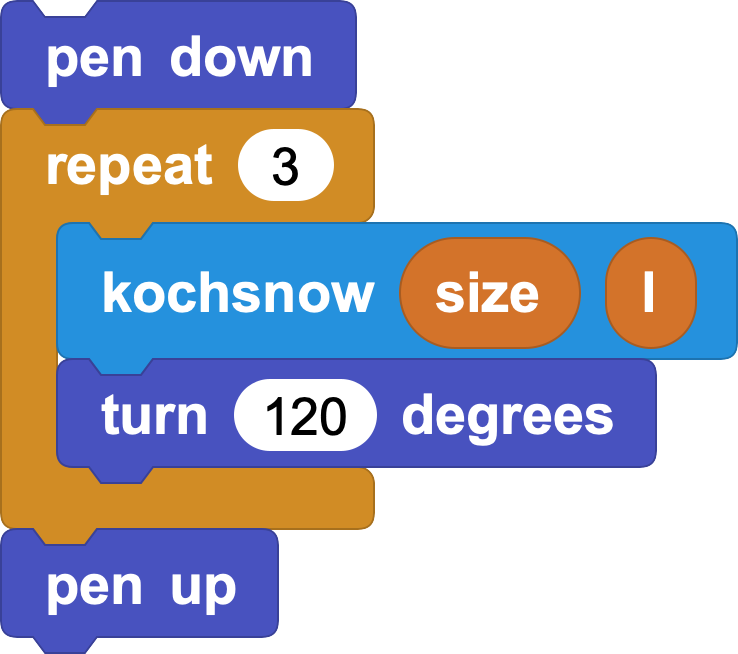
The kochshow block draws one side of the snowflake. A full snowflake needs 3 sides, so the main program calls it 3 times and turns right 120 degrees after each side.