Build a Morse Code Machine with CoCube
Before telephones and the Internet, people used Morse code to send messages. It uses only two signals: a short signal called a dot and a long signal called a dash. Different combinations of dots and dashes represent different letters.
In this activity, we will turn CoCube into a Morse code machine. Press button A briefly to enter a dot, or hold it longer to enter a dash. After you finish a letter, wait for a moment and CoCube will show the corresponding letter.
Online program: Open in MicroBlocks
Program file: Morse_code.ubp
1. Demonstration
The video enters C, U, B, and E to spell CUBE.
2. Understanding Morse Code
Morse code uses two basic signals:
- Dot
.: a short signal. - Dash
-: a long signal.
For example, A is .-, B is -..., and C is -.-..
| Letter | Code | Letter | Code | Letter | Code |
|---|---|---|---|---|---|
| A | .- |
J | .--- |
S | ... |
| B | -... |
K | -.- |
T | - |
| C | -.-. |
L | .-.. |
U | ..- |
| D | -.. |
M | -- |
V | ...- |
| E | . |
N | -. |
W | .-- |
| F | ..-. |
O | --- |
X | -..- |
| G | --. |
P | .--. |
Y | -.-- |
| H | .... |
Q | --.- |
Z | --.. |
| I | .. |
R | .-. |
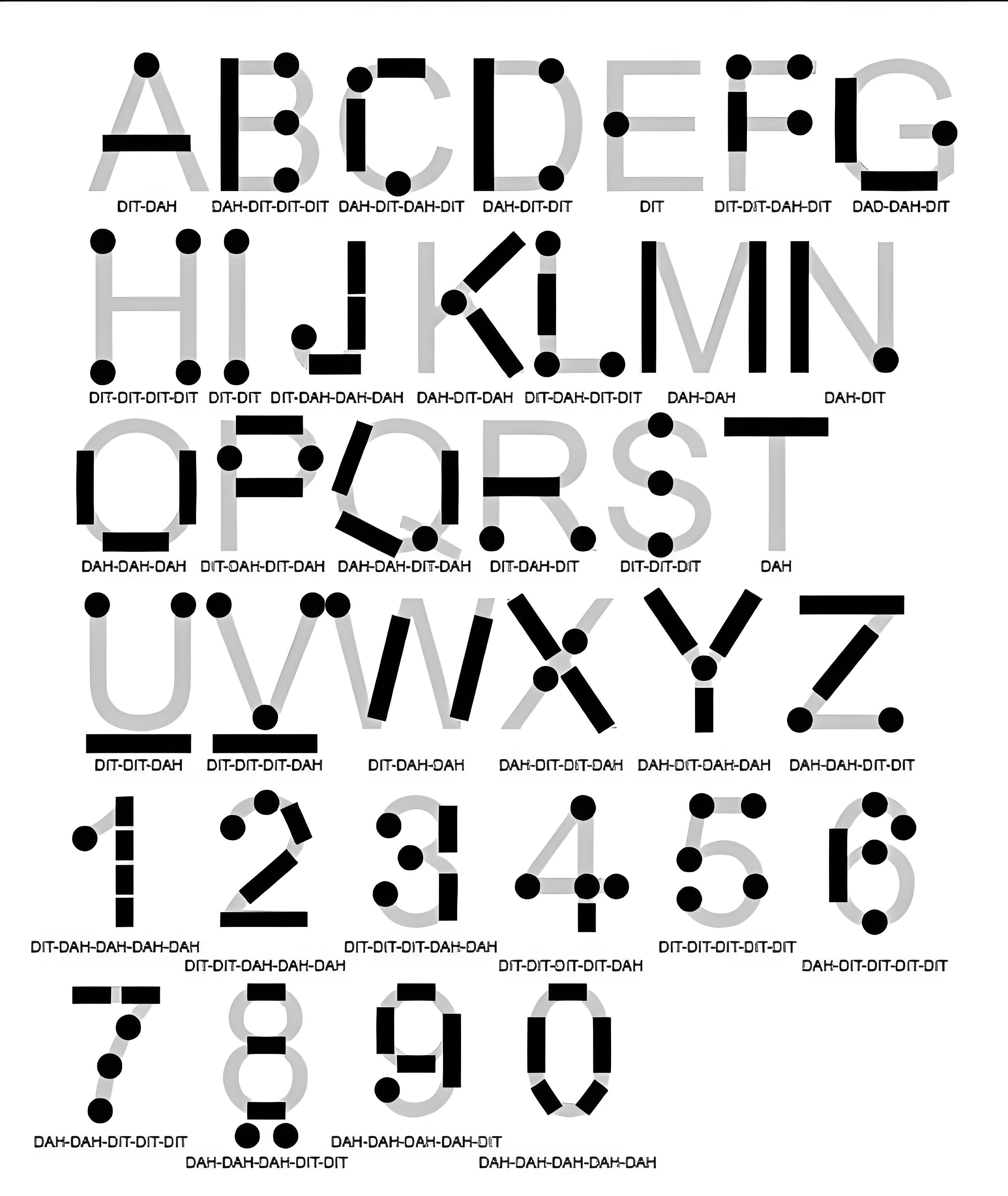
You can use the image below to quickly memorize the Morse code for each letter and number.
CoCube distinguishes dots and dashes by measuring how long button A is held:
Button held for 200 ms or less  -> dot
Button held for more than 200 ms -> dash
Button released for 1000 ms      -> letter complete
3. Building the Program
The program has three scripts: preparing the code table, reading the button, and displaying the decoded letter.
3.1 Prepare the Code Table
Create three variables:
buff: stores the dots and dashes currently entered.codes: stores the Morse codes for A to Z.letters: stores the letters A to Z.
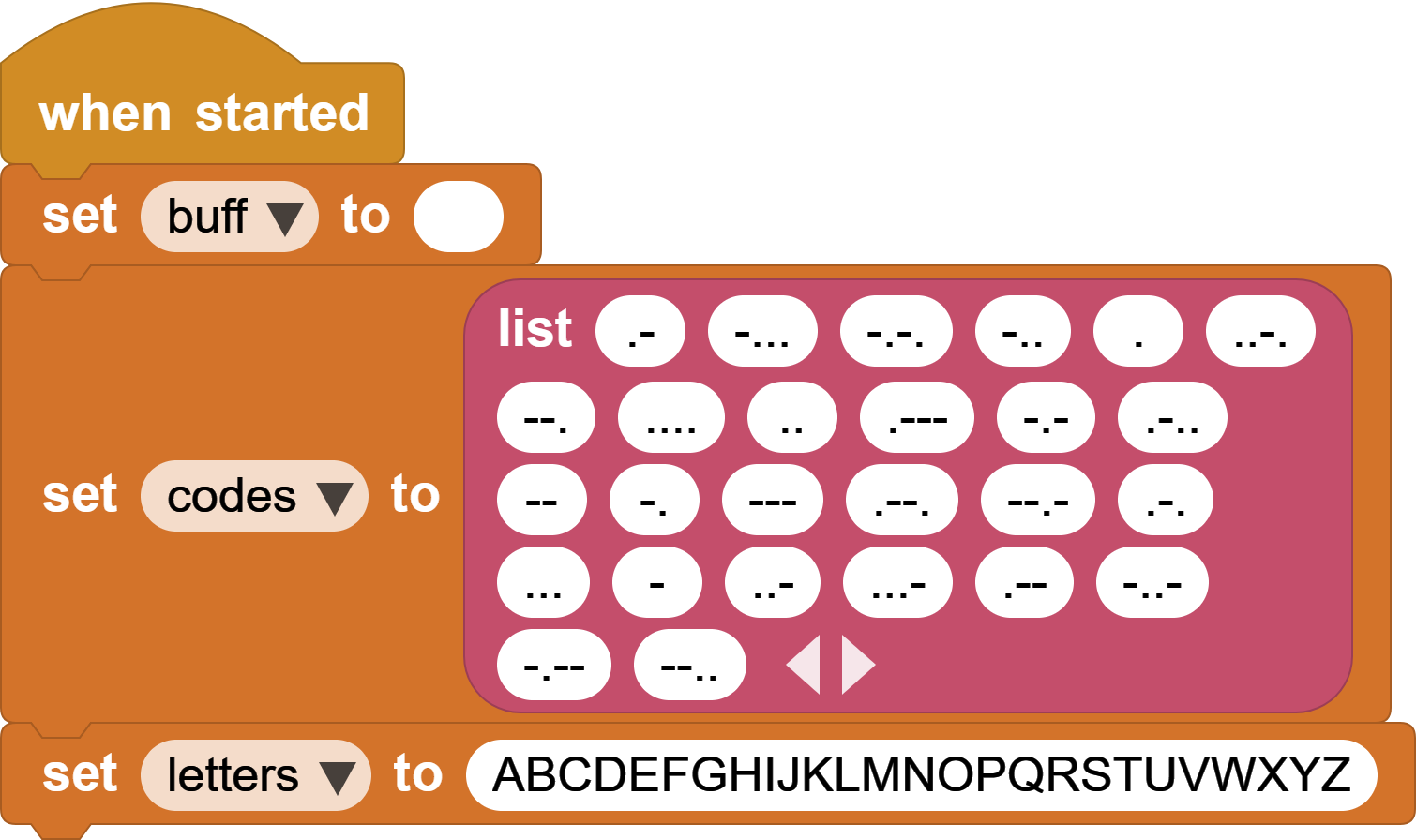
The items in codes and letters match by position. For example, .- is item 1 in codes, and A is character 1 in letters.
3.2 Enter Dots and Dashes
When button A is pressed, the program resets the timer and plays a tone. After the button is released, it checks the press duration:
200milliseconds or less: add a dot.tobuff.- More than
200milliseconds: add a dash-tobuff.
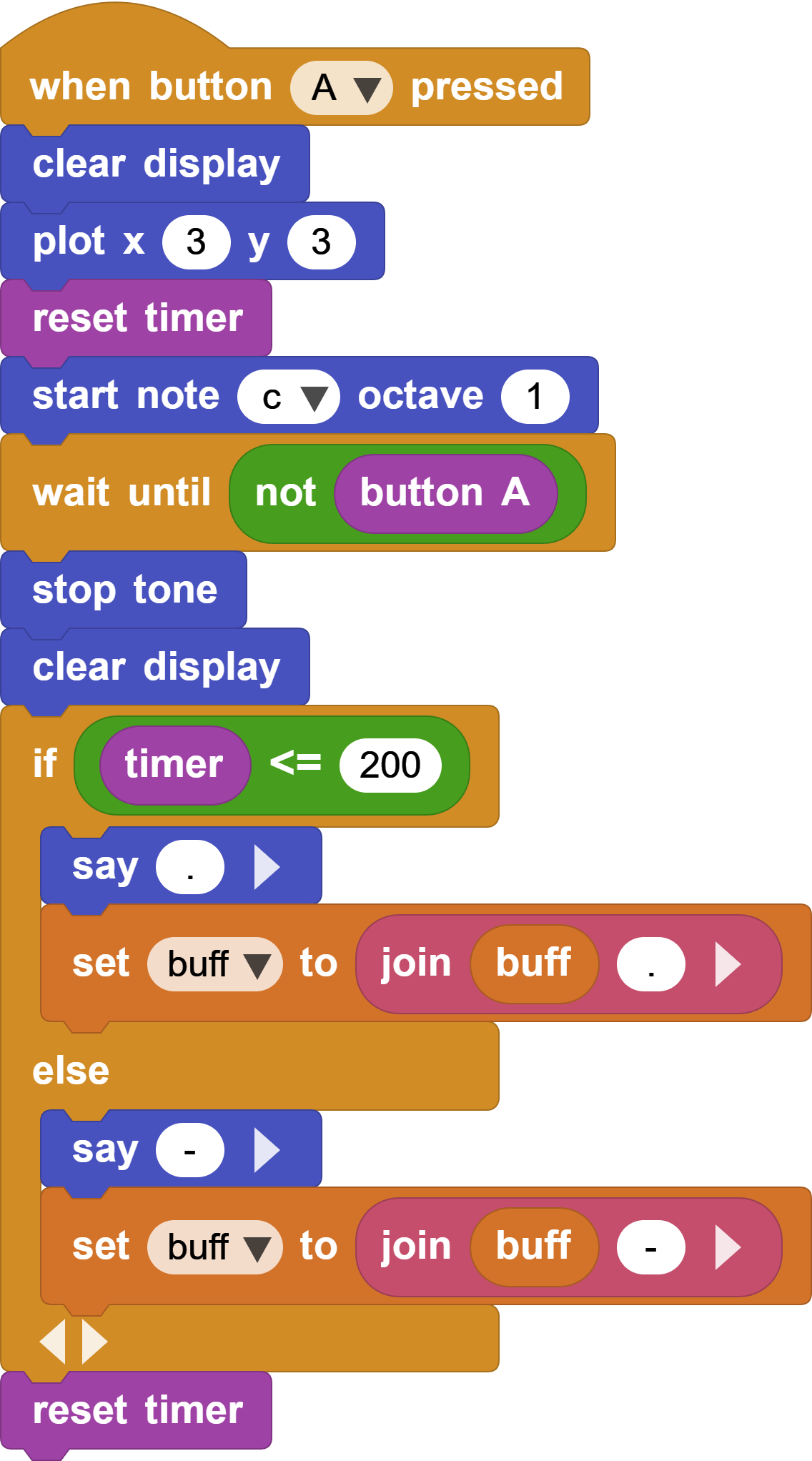
The timer is reset again to measure the pause after the button is released.
3.3 Find and Display the Letter
When the button has been released for more than 1000 milliseconds and buff is not empty, the program treats the current letter as complete.
It searches for buff in codes. If it is found, the program displays the letter at the same position in letters. If it is not found, CoCube displays ?. Finally, it clears buff so the next letter can be entered.
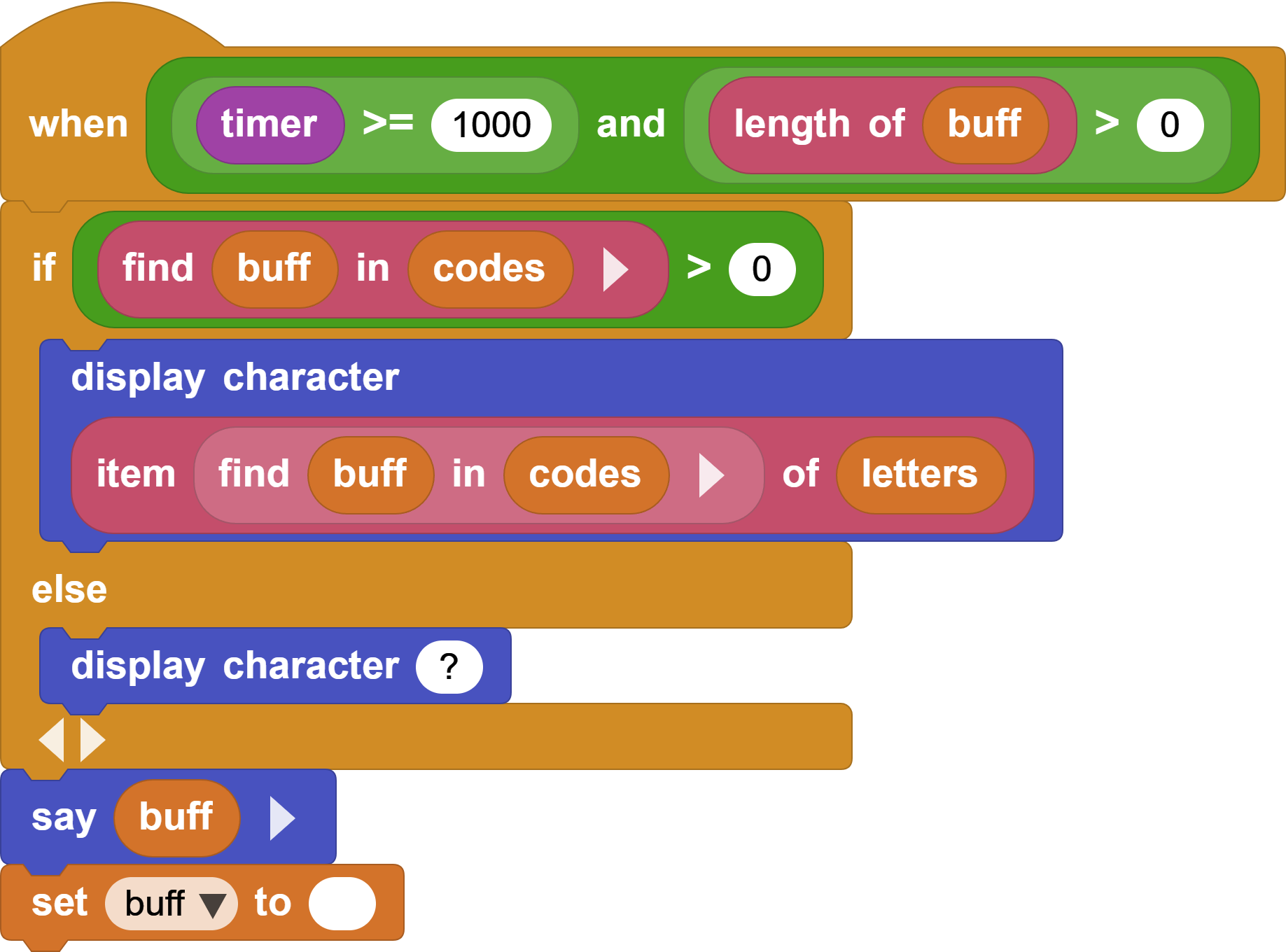
For example, -.-. is item 3 in codes, so the program displays character 3 from letters: C.
4. Test the Program
Start with a few simple letters:
| Letter | Input |
|---|---|
| E | Short press |
| T | Long press |
| A | Short, long |
| N | Long, short |
| U | Short, short, long |
If short presses are difficult, change the dot/dash threshold from 200 milliseconds to 250 or 300 milliseconds.
5. Programming Challenge: Add Numbers
The current program recognizes only A to Z. Can you use the table below to teach CoCube to recognize the numbers 0 to 9?
| Number | Morse code | Number | Morse code |
|---|---|---|---|
| 0 | ----- |
5 | ..... |
| 1 | .---- |
6 | -.... |
| 2 | ..--- |
7 | --... |
| 3 | ...-- |
8 | ---.. |
| 4 | ....- |
9 | ----. |